Attack and Feed Button
-
 The vampire attack button with blood.
 -
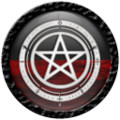 The witch attack button with blood.
 -
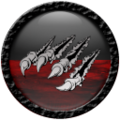 The lycan attack button with blood.
 -
 The hunter attack button with energy.


The four examples show the species-specific versions of the same main HUD control. To initiate an interaction, click your version of the button while within 1.5 metres of the target. Results appear in the HUD's combat text display.
Near a registered player, the button starts a player attack. Both avatars may enter species-specific animations when their personal animation setting is enabled. See Combat for the full attack guide.
Near an avatar who is not a registered player, the same control starts the applicable regular-human interaction. Blood feeding, human blood states, recovery, Hunter Protection, and Witch Resurrection are covered in Feeding and Blood Levels, Hunter Protection, and Witch Resurrection.
The resource graphic on the button changes with the character's current Blood or Energy level. The examples above show a partially filled resource display.
